Widgets
The forecast without opening the app
A money calendar is about the days ahead. The widgets keep them on the Home Screen, so a glance at the phone tells you how the month looks.
Download on the App Store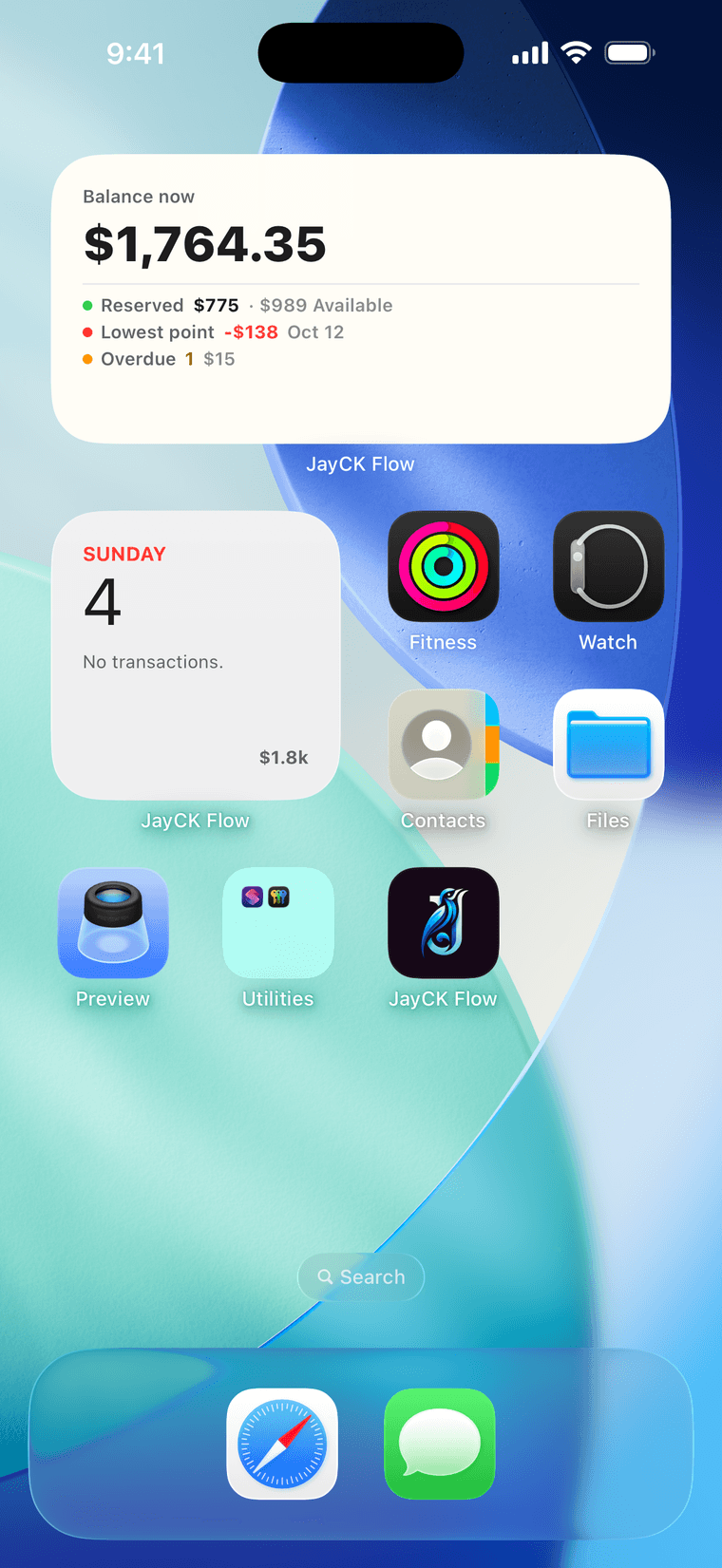
Four widgets, four questions
Balance says how much is really yours: the balance now, what is reserved for savings and what is available, the lowest point ahead and anything overdue — each line can be switched off, and the balance itself always shows. Day shows today and what is on it. Day & Weeks puts today beside last, this and next week. Month draws the whole month as the app does, every day with its balance and the month's lowest day marked.
The same numbers as the app
The widgets read the app's own forecast, so the lowest point on the Home Screen is the one on the balance card. Change something in the app and the widgets follow on their next refresh — iOS decides exactly when.
Adding them
Touch and hold the Home Screen, tap Edit, then Add Widget, and choose JayCK Flow.
Private by default
Local by default, and no account to start. Sync, when you turn it on, is end-to-end encrypted with a passphrase we cannot read or recover. No bank login — the app never asks for a bank's credentials.